


HealthTech QA Services
ByPratik Patel
Mar 31, 2026
HealthTech QA Services ensure healthcare software is safe, compliant, and accurate. Explore AI testing, LLM evaluation, security, and compliance testing strategies for healthcare applications.

Do you believe all the mobile apps you use in daily life are secure?
Nowadays, mobile app usage is increasing, and therefore, the types of cyber threats have become essential to focus on security for developers and users.
Testing mobile applications for vulnerabilities is complex, especially when dealing with the unique architectures and security models of Android and iOS platforms. Insufficient or improper testing can leave critical flaws unaddressed, putting user data and organizational reputation at risk.
This blog is a step-by-step guide on how to go about performing mobile application penetration testing on both Android and iOS.
Mobile App Penetration Testing is the most important process of simulating real-world attacks on mobile applications, thus pointing out the weaknesses and vulnerabilities that need to be taken care of.
The aim of mobile application penetration testing is primarily to boost the security posture of mobile applications and make sure that these mobile applications are secured against cyber threats. It includes the process for both Android and iOS applications and the not-so-popular BlackBerry and Windows Phone.
By conducting thorough penetration testing, organizations can identify potential security vulnerabilities before malicious actors exploit them, thereby protecting sensitive data and maintaining user trust.
Mobile devices have become an essential part of our daily lives, and we store sensitive information on them. If your business offers mobile apps, it’s crucial to protect user data by testing the security of your mobile application.
This penetration testing validates the problems that you are having, finds vulnerabilities, and prevents them from exploiting your business while increasing trust and compliance with regulations.
Mobile app architectures differ greatly from traditional web applications. Android and iOS apps have unique components that make up the architecture.
Android App Architecture
iOS App Architecture
Before beginning with a mobile application penetration test, it is important to prepare carefully to ensure a thorough and effective assessment. Here are some key steps to ensure you are ready for a penetration test:
The first step to success in a pen-testing engagement is the proper setup of the testing environment. Here’s what you’ll need:
Only having the right tools and setting up the right environment can help. Running the penetration test will be a smoother job for it and will help find vulnerabilities that the mobile app is at risk of.
The principal strategy engaged with penetration testing is to search for security vulnerabilities and then rectify them. Some of those threats common in mobile application development are as follows:

Information, including passwords, tokens, or any other financial details provided by the users in an insecure manner, shall be vulnerable to hackers by learning how to root or jailbreak the device.
For example, data can be stored in plaintext files, SQLite databases, or unprotected shared preferences. It is crucial to secure data storage in Android mobile apps to prevent unauthorized access and ensure the integrity of the application.
Mitigation
Mobile applications that have a backend most of the time employ APIs as a way of interacting with the servers. The inability to perform server-side controls leads to data leakage or unauthorized access.
For instance, exploiting confidential data due to faulty API interface configuration.
Mitigation
Any information that is transferred over the network must be encrypted to avoid interference by attackers.
Here is an example of insufficient transport layer protection
Mitigation
Mobile applications are vulnerable to unauthorized access if weak or poor implementation of authentication and authorization mechanisms is done.
Here are several examples
Mitigation
Attackers are capable of entering a code into an application that eliminates the in-app purchase protection checks as well as the planting of malware in the application.
For example, manipulating APK or IPA files for inserting forbidden code.
Mitigation
The traditional approach of mobile app pen testing provides a critical process for analyzing and securing mobile applications comprehensively. Below are the essential steps:
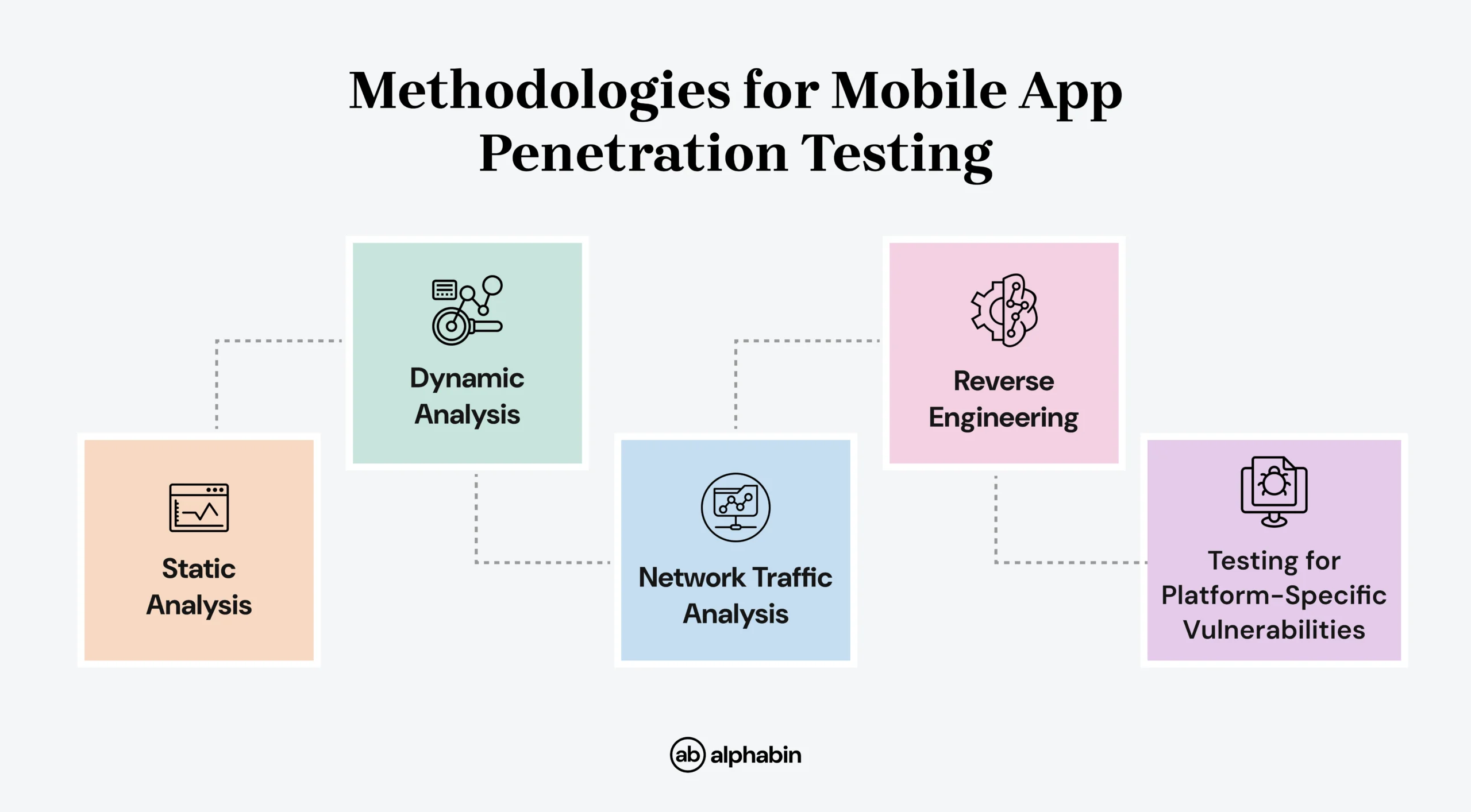
Static code analysis entails examining the source code of an application in order to identify weaknesses without running the code. This technique is very effective in the discovery of hard-coded credentials written in script and other vulnerabilities.
Key Tools
Dynamic analysis is a method of analyzing an application’s behavior in use while it is running. That is, through realism, testers can identify various scenarios, such as the system crashing at a certain point as opposed to the normal operating pattern.
Key Tools
Network traffic analysis looks at the traffic exchange of data packets between an application and its servers. This methodology assists in discovering risks such as sending data without encryption or executing API connections insecurely.
Key Tools
Reverse engineering means to decompile an application to analyze the backstory of what makes it work, its architecture, as well as the vulnerabilities that it might have. Reverse engineers play a crucial role in this process by dissecting app code to identify potential security risks and weaknesses in back-end systems.
Such analysis of obfuscated code is essential in using this methodology to discover hidden functionality.
Key Tools
That is platform-specific testing, where we try to exploit platform-specific vulnerabilities that exist within Android and iOS platforms. This approach guarantees that tests will cover thoroughly how to secure the platform.
Key Tools
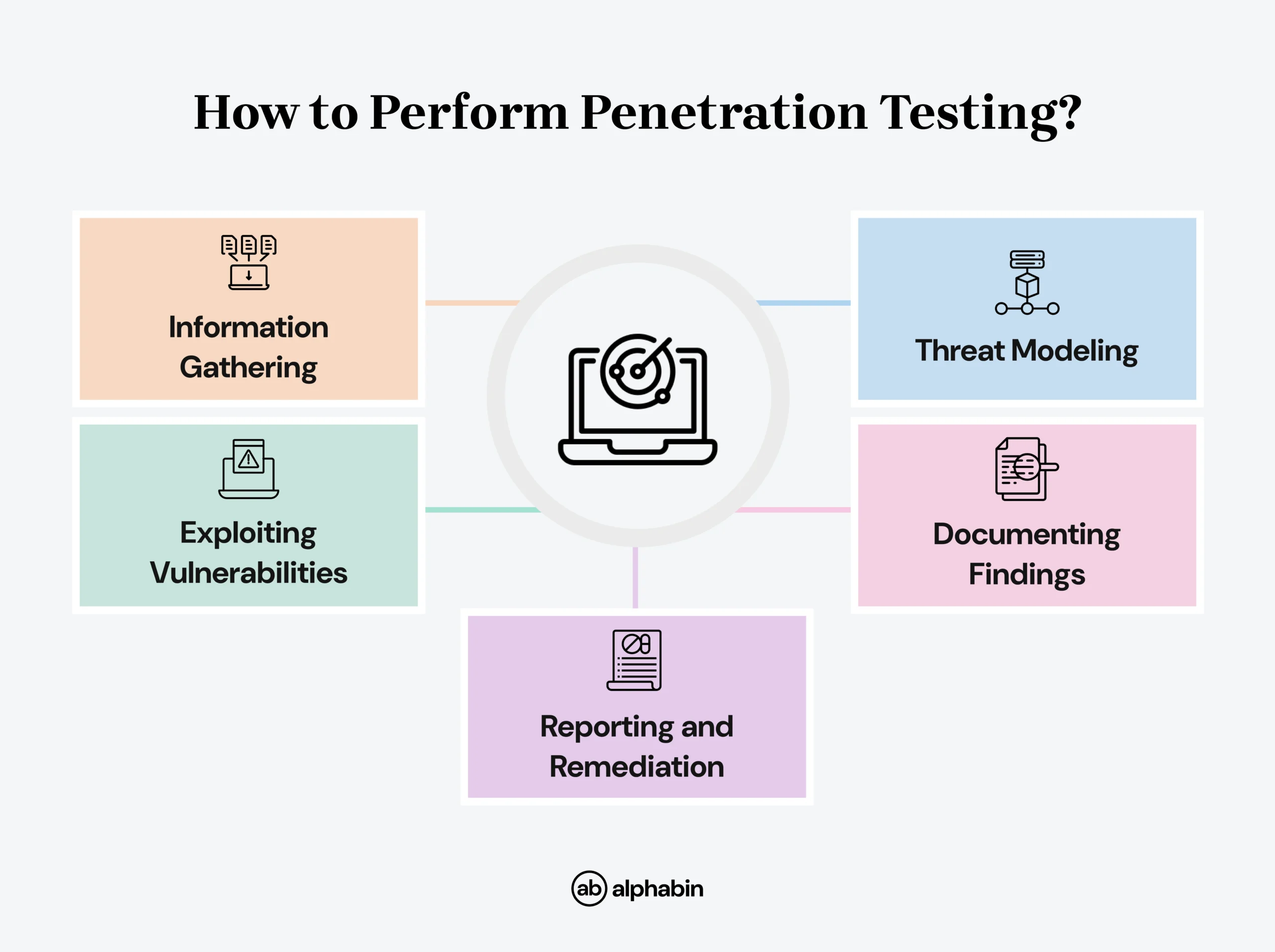
Mobile application security assessment is one of the key phases of penetration testing—a systematic approach to identifying vulnerabilities in an application or a system. Below are the key steps involved in performing an effective penetration test:
This contains a list of tools that are very important when it comes to mobile application penetration testing for Android, iOS, and cross-platform. These tools are categorized based on their specific use cases and platforms:
Several well-known certifications for mobile app penetration testing can help you develop the skills needed to be successful in this role.
These certifications, along with the mobile app penetration testing certifications, demonstrate a high level of knowledge in mobile app penetration testing and offer a great way for individuals and organizations to learn and validate the skills needed to protect themselves from today’s cyber threats.
To maintain high levels of security that will protect mobile applications, organizations must work towards increased precaution. The following best practices serve as a guide to mitigate risks and enhance the overall security posture:
Penetration testing and security assessment of mobile applications should be done at regular intervals to gather information about the risks present in applications.
These exams replicate actual attacks to expose vulnerabilities so that developers can solve problems before they are solved maliciously by hackers.
Using secure code standards and secure code guidelines lowers the chances of integrating the vulnerabilities in the code. This includes checking the inputs, the no hard code secrets, and proper authentication and authorization methods.
Comparatively, it can be said that the security environment constitutes a vibrant network of securities that is updated with time and new securities threats are identified frequently.
Learning new threats, attacks, and countermeasures keeps applications protected from changing threatening factors. Securing every app is keeping up with the security advisories, registering for lectures, and joining a security group.
Application security and protecting user data require mobile application penetration testing for Android and iOS. Organizations can overcome the risks by following a structured way of addressing platform-specific vulnerabilities and integrating testing into the development lifecycle.
To provide security and reliability in mobile applications, one needs to be secured, tested repeatedly, updated with the flow of threats, and much more. By introducing Penetration Testing as a Service and automating many aspects of penetration testing, Alphabin makes it easier for organizations to enhance their protection securely.

Founder and CEO
Pratik Patel is the founder and CEO of Alphabin, an AI-powered Software Testing company. He has over 10 years of experience in building automation testing teams and leading complex projects, and has worked with startups and Fortune 500 companies to improve QA processes. At Alphabin, Pratik leads a team that uses AI to revolutionize testing in various industries, including Healthcare, PropTech, E-commerce, Fintech, and Blockchain.
ByPratik Patel
Mar 31, 2026
HealthTech QA Services ensure healthcare software is safe, compliant, and accurate. Explore AI testing, LLM evaluation, security, and compliance testing strategies for healthcare applications.

ByPratik Patel
Mar 10, 2026
Discover how AI test automation and manual testing work together to enhance quality assurance. Learn strategies, tools, and best practices for modern software testing

ByPratik Patel
Mar 5, 2026
Automation testing and AI engineering roadmap for QA professionals. Learn Playwright, Selenium, CI/CD, and AI skills to grow your tech career.